Nowadays, AI photo editing is growing very fast, and people are transforming their normal photos into powerful, spiritual, and cinematic looks. Jai Hanuman AI Photo Editing has become a viral trend where boys edit their photos into a powerful avatar inspired by Hanuman Ji 🔱🚩
In this type of edit, you can give your image a divine, strong, glowing, and mythological look — with elements like Hanuman Ji’s energy, gada, tilak, and aura. These edits are becoming highly viral on platforms like Instagram Reels, YouTube Shorts, and even as profile pictures 📈

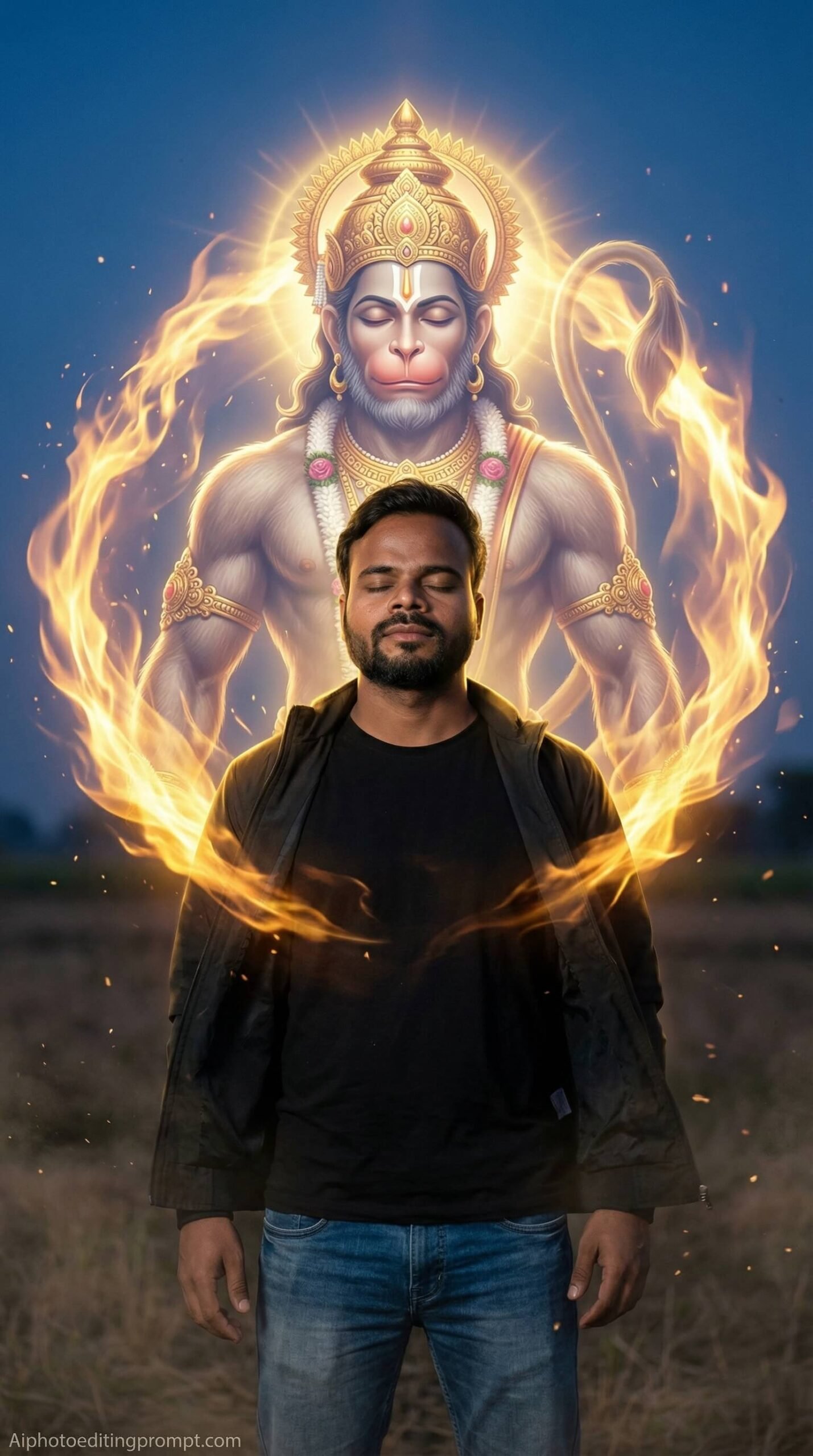
Create an ultra-realistic 8K cinematic devotional portrait using the uploaded image as the exact face reference. The person must remain 100% identical in face, structure, skin tone, beard, and expression — no changes allowed. FACE LOCK — STRICT IDENTITY CONTROL Use the uploaded image as the ONLY reference. Do NOT generate or modify the face or body. Preserve exact facial structure, proportions, skin texture, hairstyle, and expression. If mismatch → REJECT and regenerate. FACE CLARITY — EXTREME ULTRA HD DETAIL Face must be razor-sharp, crystal-clear, ultra-HD with visible pores, natural skin texture, sweat detail, and realistic lighting. Face must be the sharpest element in the image. ASPECT RATIO • 3:4 vertical SCENE (UNIQUE SETUP) Place the person standing in an open ground at twilight with dust particles floating in air and soft wind movement. Around him, a massive glowing divine energy circle forms — within that circle appears a gigantic Lord Hanuman made of golden fire energy, rotating slowly like a protective aura shield. Hanuman Ji is NOT touching the person — instead he surrounds him as a divine protector energy field. Hanuman Ji has hyper-detailed muscular structure, golden ornaments, crown, and glowing aura, but appears as a semi-transparent divine energy form. POSE (DIFFERENT STYLE) Person standing still with eyes closed, hands relaxed by side, chest slightly forward as if feeling divine protection energy. EXPRESSION Calm, fearless, spiritually strong expression with deep inner peace. OUTFIT (DIFFERENT DRESS) Modern casual outfit: plain t-shirt with jacket and jeans — realistic fabric folds and movement. HAIR & SKIN Natural hairstyle with slight wind effect. Skin must show real pores, subtle highlights, and natural tone. LIGHTING Golden energy light from Hanuman aura illuminating the body, combined with soft twilight ambient light — cinematic contrast. COLOUR GRADING Warm gold + deep blue twilight tones with cinematic depth. BACKGROUND Open field, dust particles, subtle fog, sky gradient — depth-of-field blur. EXTRA DETAILS • Rotating energy aura • Golden sparks and particles • Subtle wind motion in clothes STYLE Hyper-realistic cinematic digital art, volumetric lighting, Unreal Engine realism, ultra detailed textures. Shot on Canon EOS R5 with RF 35mm f/1.8 lens. CAMERA & COMPOSITION 35mm lens, slight wide-angle feel, subject centered or slightly off-center, ultra sharp face focus. IMPORTANT HARD RULE Must look like a real cinematic photo. NO anime, NO cartoon, NO fake skin. NEGATIVE PROMPT anime, cartoon, CGI, plastic skin, over smooth face, distortion, low quality TEXT / SIGNATURE Add “Aiphotoeditingprompt.com” at the bottom-left corner, HANDWRITTEN SIGNATURE-STYLE typography, thin cursive strokes, small size, subtle premium elegance, white or soft off-white color.
Bajrangbali Style Ai Photo Prompt
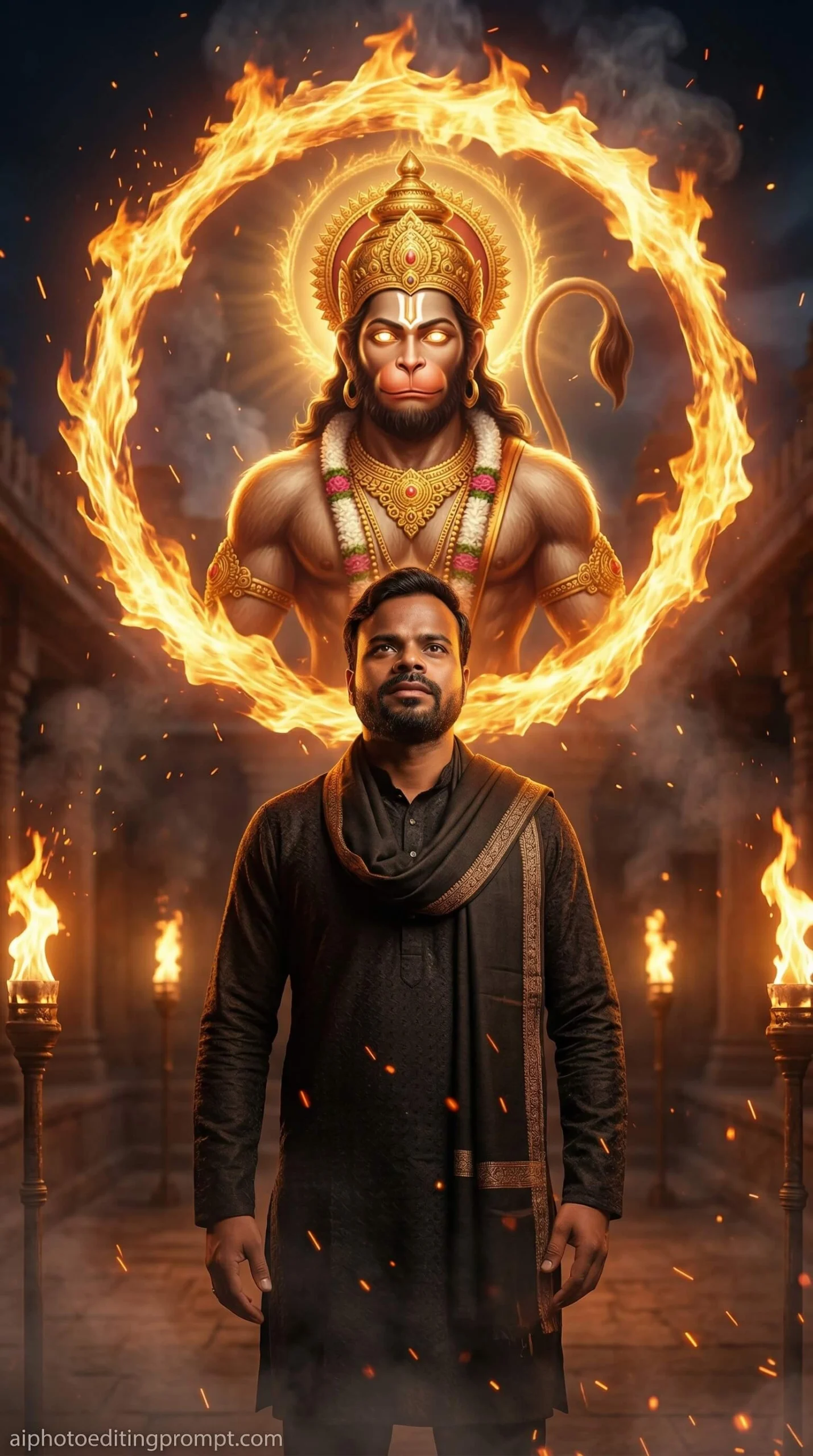
Create an ultra-realistic 8K cinematic devotional portrait using the uploaded image as the exact face reference. The person must remain 100% identical with no changes. FACE LOCK — STRICT IDENTITY CONTROL Use the uploaded image as the ONLY reference. Do NOT alter face or body. Preserve exact facial features, proportions, skin tone, beard, and expression. If mismatch → REJECT and regenerate. FACE CLARITY — ULTRA HD MICRO DETAIL Face must be ultra-HD, razor sharp, crystal-clear with visible pores, natural skin texture, and realistic lighting. Face must remain perfectly in focus. ASPECT RATIO • 3:4 vertical SCENE (UNIQUE SETUP) Place the person standing inside an ancient temple courtyard at night surrounded by fire torches. Behind him, instead of a physical form, a massive circular ring of fire appears — inside that ring, the divine form of Lord Hanuman is visible like a spiritual vision. Hanuman Ji appears powerful with glowing eyes, golden ornaments, crown, and aura, but remains inside the fire circle — not touching the person. POSE (DIFFERENT STYLE) Person standing still with head slightly raised, hands relaxed or slightly open, strong grounded posture. EXPRESSION Focused, fearless, spiritually awakened expression. OUTFIT (DIFFERENT DRESS) Traditional + modern mix: dark kurta with jacket or shawl — realistic texture. HAIR & SKIN Natural hairstyle, slight heat effect from fire. Skin must show real pores and light reflections. LIGHTING Strong fire lighting from behind and sides, creating dramatic rim light and deep shadows. COLOUR GRADING Deep orange, red, and black tones with cinematic contrast. BACKGROUND Temple walls, pillars, fire torches, smoke — depth-of-field blur. EXTRA DETAILS • Fire sparks and embers • Volumetric smoke • Heat glow and distortion STYLE Cinematic hyper-realistic digital art, volumetric lighting, Unreal Engine realism, ultra detailed textures. Shot on Canon EOS R5 with RF 35mm f/1.8 lens. CAMERA & COMPOSITION 35mm lens, slight wide-angle feel, subject centered or slightly off-center, ultra sharp face focus. IMPORTANT HARD RULE Must look 100% real cinematic shot. NO anime, NO cartoon, NO artificial skin. NEGATIVE PROMPT anime, cartoon, fake face, plastic skin, over smooth skin, distortion, low resolution TEXT / SIGNATURE Add “aiphotoeditingprompt.com” at the bottom-left corner, typography, thin cursive strokes, small size, subtle premium elegance, white or soft off-white color.
Jai Hanuman Ai Photo Editing Prompt

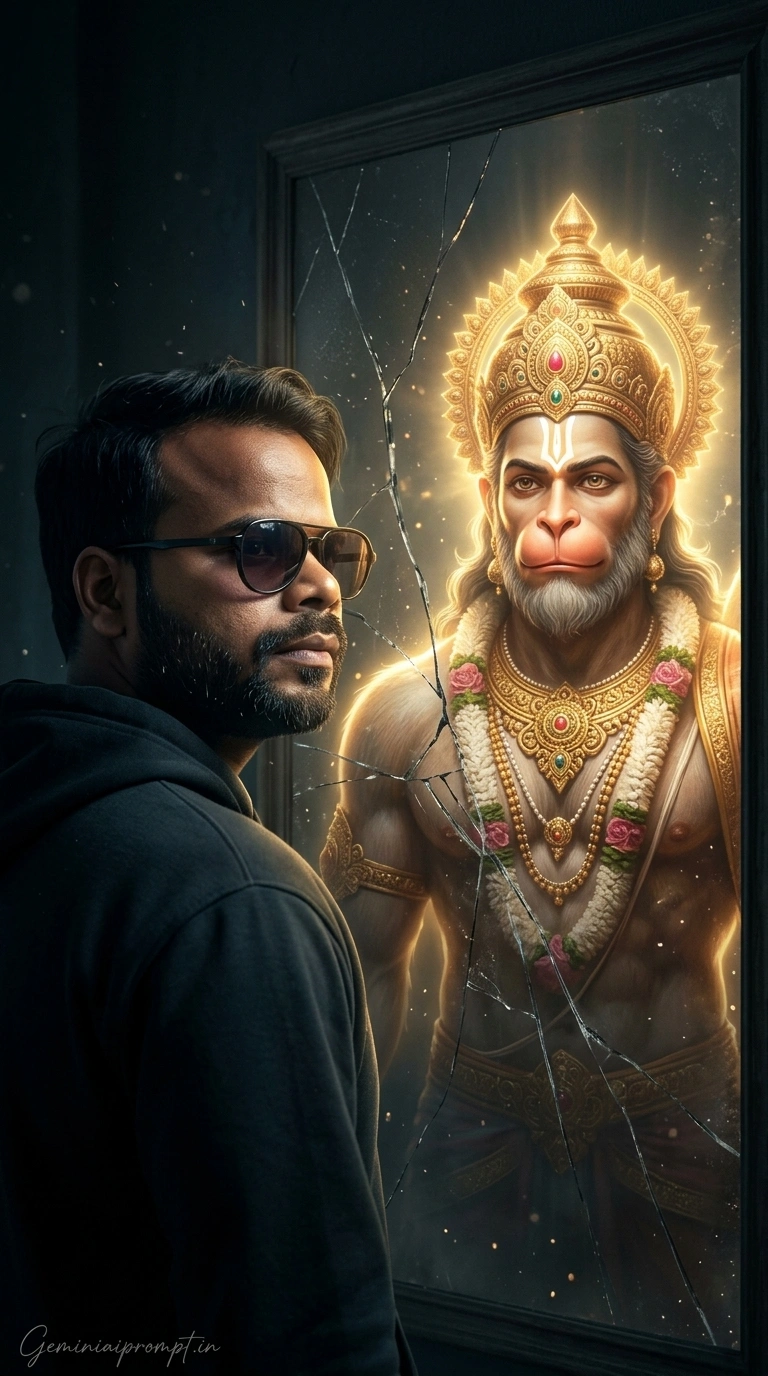
Bajrangbali Ai Photo Edit For Boys
Bajrangbali Ai Photo Edit For Boys
📸 Hanuman AI Image Kaise Banaye (Step-by-Step)
Step 1: Platform Select Kare
AI image banane ke liye aap in tools ka use kar sakte ho:
Bing Image CreatorLeonardo AIReminiPicsArt👉 Beginner tip: Bing Image Creator is the easiest to start with 👍
Step 2: Paste the Prompt
- Open the AI tool
- Click on “Create Image” or “Generate”
- Paste the Hanuman AI prompt
Step 3: Upload Your Photo (Optional)
- Use “Upload Image” or “Face Swap” option
- Add your photo for personalized results
Step 4: Generate & Select
- Click “Generate”
- Select the best image from results
Step 5: Final Editing
- Adjust brightness and contrast
- Add glow or fire effects 🔥
- Crop for social media
This content is for educational and creative purposes only. Please use religious imagery respectfully and avoid hurting any sentiments 🙏

 View Prompts